Digital & electronics26/10 Week 4
Label printers: choosing between phone input and a built-in keyboard TOP5 picks
Choosing a label printer is easier when you start with how you enter text and cut labels. This comparison covers connectivity and genuine replacement tape costs for printers priced from around KRW 50,000 into the KRW 100,000 range.
Information checked
The five at a glance
Compare at a glance ↓- 01
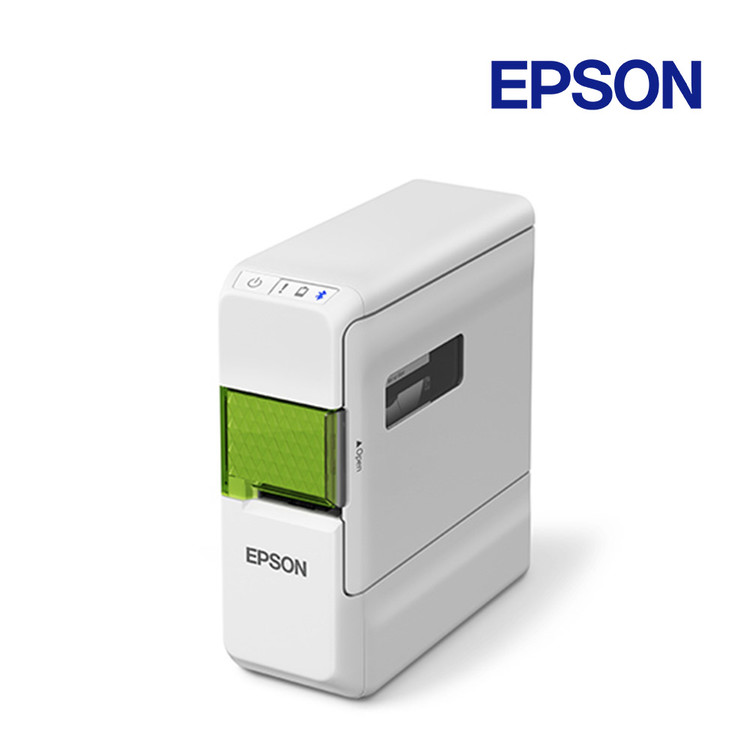 EpsonEpson LW-C410
Phone editing with automatic cutting
View product ↓ - 02
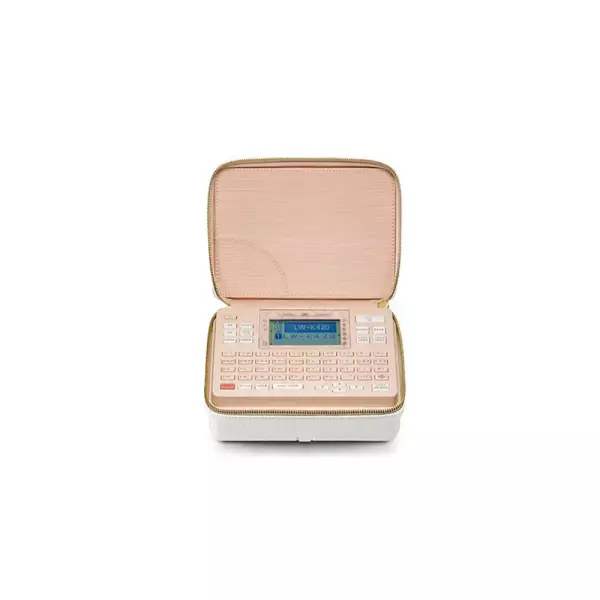 EpsonEpson LW-K420
A shared keyboard model with an automatic cutter
View product ↓ - 03
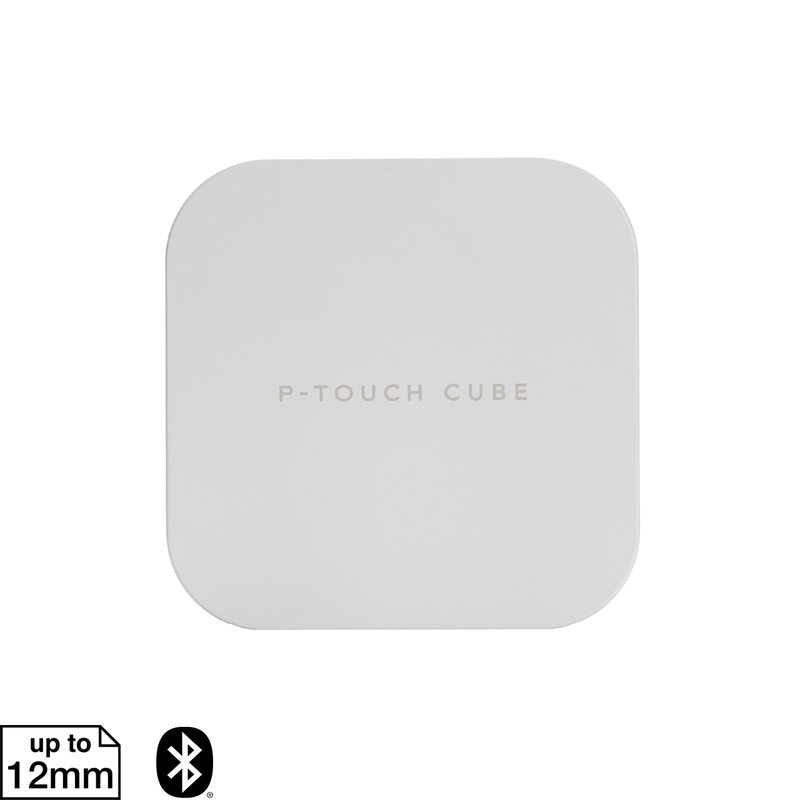 BrotherBrother PT-P300BT
Print text from your phone on TZe labels
View product ↓ - 04
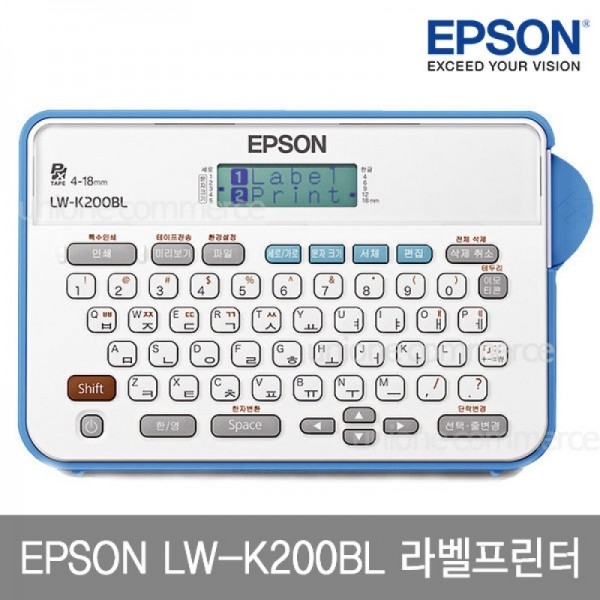 EpsonEpson LW-K200BL
Enter text for 18mm labels directly on the printer
View product ↓ - 05
 BrotherBrother PT-H110BW
Focus on narrow labels and a low upfront cost
View product ↓
Storage boxes need large headings, while binders and chargers often need only a short name. Even among label printers, editing text on a phone and typing directly on a built-in keyboard involve different workflows. An automatic cutter helps when making several labels, while a printer that starts without connecting another device is useful for occasional individual labels. Looking at label widths and the quantities in which supplies are sold reveals differences that the printer price alone cannot explain.
Why consider it now
A tool for making your own labels is useful when reorganizing boxes of seasonal clothing and frequently used household supplies. Office files can also be relabeled in small batches whenever their contents change. The focus is on choosing your input device and the tape you will buy repeatedly, rather than investing in large equipment from the outset.
Why this order
The LW-C410 is our first recommendation because it combines phone editing and automatic cutting with a lower verified printer price. The LW-K420 has a built-in keyboard and automatic cutter that suit shared use, but costs more upfront. If you need to get started without a phone, their order of preference reverses. The PT-P300BT and PT-H110BW make sense where TZe tape is already in use, while the LW-K200BL suits beginners who want a keyboard model with 18mm labels.
Epson
Epson LW-C410
Our first pick
Phone editing with automatic cutting
It offers 18mm tape support and an automatic cutter at a lower verified price than the LW-K420. Users who can enter text on a phone or Windows PC can avoid paying extra for a separate keyboard. If several people need to use the printer immediately without connecting an app, the LW-K420 takes priority.
Suitable for people who frequently edit text on a phone and make labels for both storage bins and office use.
You choose Korean text and fonts on your phone, then print over Bluetooth. Label Editor Mobile lets you edit storage-bin names and short notices on screen even though the printer has no keyboard. It supports iOS and Android; check that your OS version can run the app.
A Windows PC can also connect over Bluetooth using Label Editor. This makes it an option for editing and printing at a desk, but Label Editor for Mac is not supported. A practical approach is to start with the included 12mm × 4m sample tape and add cartridges in the widths you need later.
Edit text on screen
You can use fonts from your smart device and enter Korean text. Phone input is useful when decorating labels or revising long item names.
Automatic finishing for multiple labels
It supports continuous printing and automatic cutting. When making several labels during the same organizing task, this reduces the need to press the cutter each time.
Before you choose
There is no built-in keyboard, and it runs on 6 AA batteries. If you prefer outlet power, the LW-K420 or PT-P300BT, which can use a separately sold adapter, is a better fit.
- Korean / app
- Korean text input / Label Editor Mobile
- OS / PC
- iOS / Android / Windows Bluetooth; Label Editor for Mac not supported
- Tape widths
- 4·6·9·12·18mm
- Cutter
- Automatic
- Power
- 6 AA alkaline batteries, included
- Sample tape
- 12mm × 4m, black text on a white background
- Price when checked
- KRW 63,000 · 1 printer, 12mm×4m sample tape and 6 AA batteries; select model LW-C410; additional paid tape excluded; product price only2026-10-19
Epson
Epson LW-K420
Why consider it
A shared keyboard model with an automatic cutter
This option adds a built-in keyboard while retaining the same maximum 18mm width as the LW-C410. Unlike the LW-K200BL, it supports automatic cutting, giving it priority when you want a keyboard model for repetitive tasks. If you only make 1 or 2 labels at a time and want to save money, the LW-K200BL can also do the job.
Suitable as shared equipment in a small office, or for anyone who wants both a built-in keyboard and automatic cutting.
Enter Korean text on the built-in keyboard, check it on screen and print. There is no need to accommodate a phone app or PC operating system, making it easy for family members or colleagues to start using it in a shared space. Built-in Korean Gothic, Myeongjo and SJ Maeilmaeil fonts let you change the style of the lettering.
It can use batteries or a separately sold AC adapter, allowing for both portable use and a permanent place on a desk. It supports tape up to 18mm wide and prints up to 5 lines, depending on the width. This is useful for labels that add identifying details below an item name.
A shared tool without connection setup
The Korean keyboard and LCD preview keep the work on the printer itself. On a shared desk, there is no need to connect a phone whenever a different person uses it.
Power to suit its location
It can run on 6 AA batteries for use on the move. For a fixed desk setup, you can choose a separately sold AC adapter.
Before you choose
Its verified printer price is the highest of these five products. If you are comfortable typing on a phone and do not need a keyboard, the LW-C410 costs less upfront.
- Input
- KS-layout Korean keyboard / English QWERTY
- Korean fonts
- Gothic / Myeongjo / SJ Maeilmaeil
- Tape widths
- 4·6·9·12·18mm
- Print lines
- Up to 5 lines, depending on tape width
- Cutter
- Automatic
- Power
- 6 AA alkaline batteries or a separately sold AC adapter
- Price when checked
- KRW 105,000 · 1 printer, sample tape and 6 AA batteries; regular selling price; adapter sold separately; free standard shipping2026-10-19
Brother
Brother PT-P300BT
Why consider it
Print text from your phone on TZe labels
Recommended if you want phone input while using existing TZe tape. Its narrower maximum width and manual cutter place it below the LW-C410 for versatility and cutting convenience. It becomes a higher-priority option for phone users who want power from a separately sold adapter.
Suitable for homes and offices using Brother TZe supplies that want to enter text on a phone.
Edit text in the P-touch Design&Print 2 app and send it over Bluetooth. You can make Korean labels with an iOS or Android device; check the app installation requirements for your device before choosing it. It is a natural fit for TZe tape users who prefer a phone screen to a built-in keyboard.
Supported widths of 3.5–12mm make it well suited to labels for binders and small items. As of 2026-10-19, genuine TZe-231 white tape, 12mm wide and 8m long, is priced at 1 cartridge for KRW 13,500. Because its length differs from Epson’s 9m product, the price per cartridge alone is not enough to compare printing costs.
Make labels with templates
The free mobile app lets you choose templates and fonts. Ready-made formats are useful when you do not want to arrange the layout from scratch each time.
Choose batteries or an adapter
It supports power from 6 AAA batteries or an AC adapter. The adapter is sold separately, so it makes sense to include that cost with the printer when planning a permanent desk setup.
Before you choose
If you need labels wider than 12mm and automatic cutting, the LW-C410 or LW-K420 is a better fit.
- Korean / app
- Korean text printing / P-touch Design&Print 2
- Supported devices
- iOS / Android mobile devices
- Tape widths
- 3.5·6·9·12mm
- Cutter
- Manual
- Power
- 6 AAA alkaline batteries or an AC adapter
- Supplies
- TZe tape
- Price when checked
- KRW 69,000 · 1 white printer; Organizing Month instant-discount option; complimentary batteries; additional paid tape and adapter excluded; free standard shipping2026-10-19
Epson
Epson LW-K200BL
Why consider it
Enter text for 18mm labels directly on the printer
This keyboard model keeps 18mm label support while reducing the upfront cost compared with the LW-K420. Its wider tape support puts it ahead of the PT-H110BW when labels for storage boxes are also a consideration. If you only use widths of 12mm or less and the lowest initial cost matters most, the PT-H110BW takes the lead.
Suitable for people who find a physical keyboard more comfortable than a phone and make small batches of labels at a time.
This standalone label printer has a Korean keyboard and an LCD showing 6 characters × 2 lines. You can type and print names without installing an app or connecting a phone, making it suitable for households that occasionally need simple labels. A preview lets you check the text before printing.
It supports tape widths from 4–18mm, covering small items through to headings for storage boxes. However, printing is limited to 3 lines, and neither automatic cutting nor continuous printing is supported. If you usually make short labels individually, the convenience of a built-in keyboard may matter more than these differences.
Start without another device
It has a built-in Korean Gothic font and an English keyboard. Labels consisting mainly of names and numbers do not require adjusting font settings on a phone.
From small items to boxes
It supports widths of 4·6·9·12·18mm. You can change tape to suit the size of the lettering you need, instead of being limited to a single width.
Before you choose
There is no automatic cutter, so you must operate the cutter yourself after printing. If you often make multiple copies of the same label, the LW-K420’s automatic cutting is more convenient.
- Input
- KS-layout Korean keyboard / English QWERTY
- Display
- 6 characters × 2 lines LCD / Preview
- Tape widths
- 4·6·9·12·18mm
- Print lines
- Up to 3 lines
- Repetitive tasks
- Automatic cutting and continuous printing not supported
- Power
- 6 AA alkaline batteries, included
- Price when checked
- KRW 75,000 · 1 printer with standard included items; SS12KW white compatible tape selected as the free gift; regular selling price; KRW 2,500 shipping charged separately2026-10-19
Brother
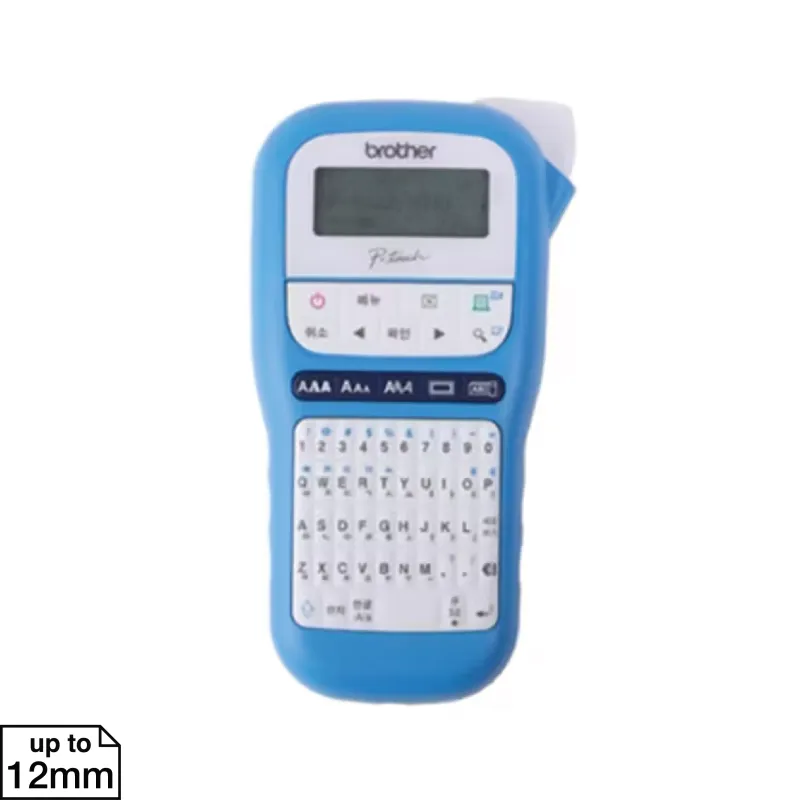
Brother PT-H110BW
Why consider it
Focus on narrow labels and a low upfront cost
This keyboard model has the lowest upfront cost among the products checked. However, it lacks the LW-K200BL’s 18mm width and the LW-K420’s automatic cutting, placing it lower in recommendations that prioritize a broader range of uses. It can be the first choice if you only need short labels and want to save money.
Suitable for people whose main use is simple labels of 12mm or less and who want to keep the printer purchase cost down.
Its tall body has a Korean/English toggle key and a character keyboard. Instead of using a phone app, you enter short names on the printer and check them on an 8-character, 1-line display. It suits taking the printer where you need it to label binders or personal belongings.
It uses 3.5·6·9·12mm TZe tape, allowing it to share the same type of supplies as the PT-P300BT. The printer costs less, but its tape is not always cheaper. The example genuine 12mm × 8m tape costs KRW 13,500; deciding which width you will use most often can reduce unnecessary cartridge purchases.
Enter Korean directly on the printer
It has a Korean/English toggle key and a preview function. Users who do not install a phone app can complete the task on the printer itself.
Share TZe supplies
It supports TZe tape up to 12mm wide. Using it alongside a PT-P300BT with the same tape format avoids adding a separate family of supplies.
Before you choose
For 18mm headings on large storage boxes, the three Epson products are suitable. The cutter is manual, adding a cutting step to repetitive tasks.
- Input
- Korean/English toggle key / Built-in keyboard
- Display
- 8 characters, 1 line / Preview
- Tape widths
- 3.5·6·9·12mm
- Cutter
- Manual
- Power
- 6 AAA alkaline batteries or an AC adapter
- Supplies
- TZe tape
- Price when checked
- KRW 54,000 · 1 sky-blue printer; Organizing Month instant-discount option; complimentary batteries; additional paid tape and adapter excluded; free standard shipping2026-10-19
MAKE YOUR CHOICE
Compare at a glance
Phone / Windows PC / Bluetooth
4·6·9·12·18mm / Automatic
6 AA batteries, included
SS12K-PX 9m / KRW 13,000
Built-in Korean keyboard / No app required
4·6·9·12·18mm / Automatic
6 AA batteries included / AC adapter sold separately
SS12K-PX 9m / KRW 13,000
iOS / Android app / Bluetooth
3.5·6·9·12mm / Manual
6 AAA batteries / AC adapter sold separately
TZe-231 8m / KRW 13,500
Built-in Korean keyboard / No app required
4·6·9·12·18mm / Manual
6 AA batteries, included
SS12K-PX 9m / KRW 13,000
Built-in Korean keyboard / No app required
3.5·6·9·12mm / Manual
6 AAA batteries / AC adapter sold separately
TZe-231 8m / KRW 13,500
Prices reflect the date checked. Check the seller for current prices and purchase conditions.
Selection criteria
These recommendations are for labeling belongings and documents at home or in a small office. The order reflects ease of text entry, automatic cutting, label widths and verified purchase costs, rather than sales rankings. Versions that differ only in character designs or colors are not ranked separately.
- Editorial period
- 26/10 Week 4
- Information checked
- 2026-10-19